

“Business Central consulting” can mean almost anything—from a partner that mainly sells licenses to a team that can take responsibility for business process, configuration, extensions, integrations, data, testing and user adoption. That ambiguity is exactly why choosing a partner can be difficult.
The better way to evaluate a consultant is to focus on how they diagnose operational problems, how they decide what to change, and whether they can support the environment after go-live. This guide is designed for organizations that are implementing Microsoft Dynamics 365 Business Central, inheriting a troubled environment, migrating from Dynamics NAV or trying to make an existing system finally work the way the business needs it to.
ROLE OF A BUSINESS CENTRAL CONSULTANT
What should Business Central consulting actually include?
Microsoft positions Business Central as an ERP for small and midsize businesses that connects finance, purchasing, inventory, projects, manufacturing, warehouse management and other core operations. Microsoft also emphasizes that partners can tailor the platform to industry and business requirements. Source: Microsoft Dynamics 365 Business Central.
Process discovery
Understand how finance, purchasing, inventory, production, shipping and reporting actually work before changing configuration.
Configuration
Correct setup, permissions, posting groups, dimensions, workflows and operating rules that are creating friction.
Extensions
Use AL extensions where standard Business Central cannot support an important requirement without breaking the operating model.
Integrations
Connect Business Central to ecommerce, CRM, manufacturing systems, document repositories, APIs and other platforms.
Reporting
Improve role-based reporting, Power BI visibility and trust in the numbers leadership uses to make decisions.
Ownership
Document the environment, clarify vendor roles and make sure the client understands what has been changed and why.
WHEN TO BRING IN HELP
Seven signs you need stronger Business Central consulting
- Users still work around the ERP. Critical processes live in Excel because the configured workflow does not match reality.
- Reporting is not trusted. Leadership reconciles numbers manually or depends on one person to explain the data.
- The implementation partner is reactive. Tickets are closed, but the underlying operational issue remains.
- Customizations have accumulated without a clear architecture. No one knows what is standard, custom or safe to change.
- Integrations require manual re-entry. Teams repeatedly move information between Business Central and surrounding systems.
- Manufacturing or inventory is chronically wrong. Availability, reservations, production, purchasing or shipping issues keep recurring.
- Licensing and vendor ownership are unclear. The organization is paying for more than it needs or cannot explain who owns each part of the environment.
PARTNER EVALUATION
12 questions to ask before hiring a Business Central consultant
| Question | What a strong answer should reveal |
|---|---|
| 1. How do you assess an inherited environment? | A repeatable discovery process covering configuration, customizations, integrations, data, permissions, vendors and unresolved issues. |
| 2. How do you learn our business process? | Workshops with actual users and owners—not only technical review. |
| 3. When do you configure vs. customize? | A bias toward standard capability where it fits, with extensions reserved for real business gaps. |
| 4. Can you rescue a failed implementation? | Experience stabilizing an existing environment without assuming the answer is a full reimplementation. |
| 5. Do you understand manufacturing? | Fluency in BOMs, routings, work centers, production orders, inventory, costing and supply planning. |
| 6. How do you handle NAV migrations? | Knowledge of supported migration paths, AL conversion, dry runs, data validation and cutover planning. |
| 7. How do you approach integrations? | API and architecture decisions based on process ownership and data flow—not point-to-point shortcuts. |
| 8. Can you improve Power BI/reporting? | Ability to define trusted KPIs and connect Business Central data to broader operational reporting. |
| 9. How do you test changes? | Sandbox/UAT discipline, business-user validation and controlled production release. |
| 10. How do you document the environment? | Clear ownership, extension/integration inventory and maintainable operating documentation. |
| 11. Can you review Microsoft licensing? | Willingness to optimize recurring cost instead of treating licensing as untouchable. |
| 12. What happens after the project? | A support model for stabilization, enhancement, escalation and continuous improvement. |
RESCUE BEFORE REPLACEMENT
A troubled Business Central implementation does not automatically mean start over.
One of the most expensive mistakes in ERP is assuming that an implementation with real problems must be replaced wholesale. Sometimes the core platform is sound and the real problem is configuration, process design, incomplete extensions, poor integration, weak testing or unclear ownership.
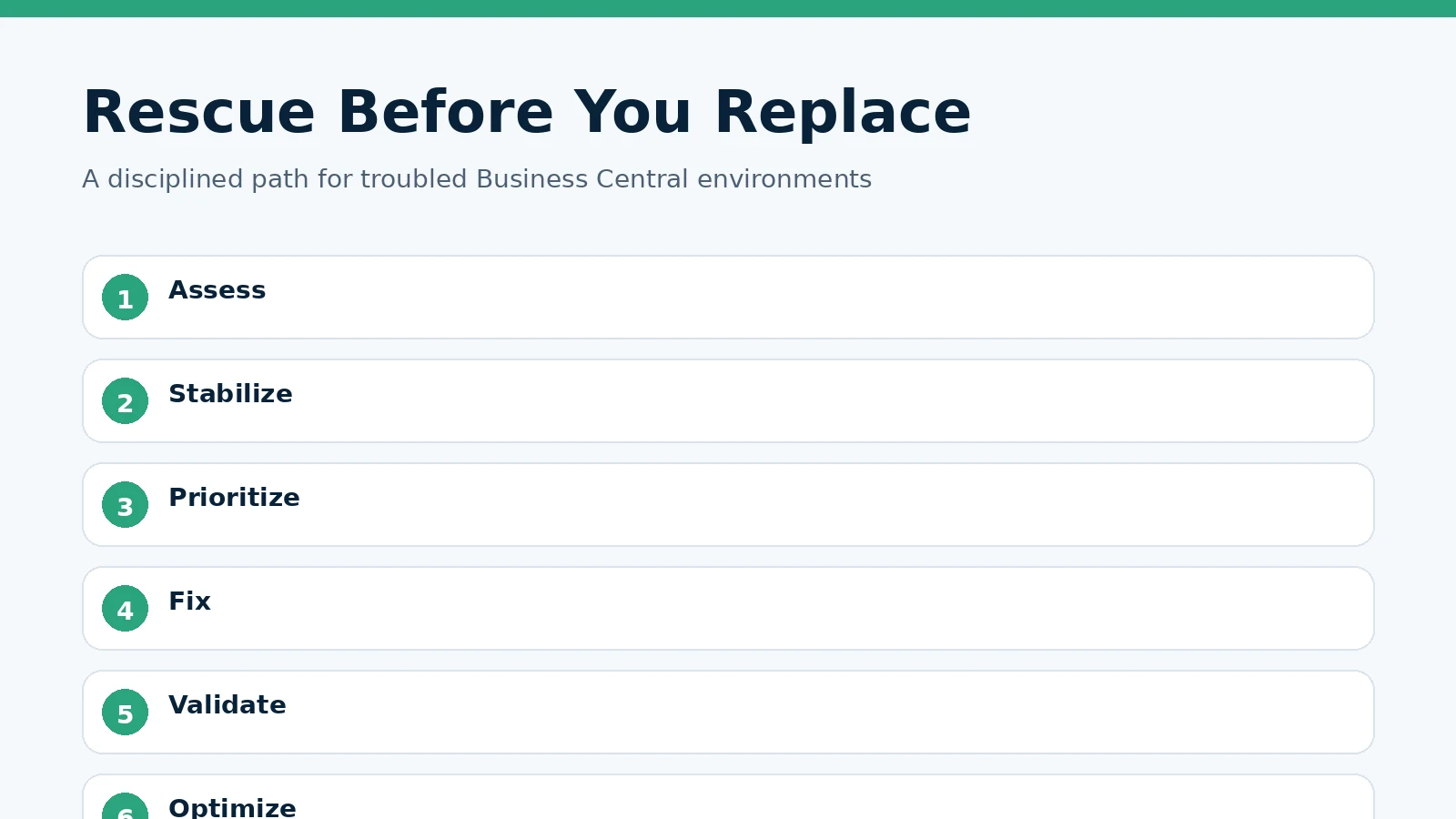
A disciplined rescue usually follows six steps: assess, stabilize, prioritize, fix, validate and optimize. That sequence allows the organization to protect what is working while focusing effort on the gaps that create the most operational pain.
Knowtion used this approach with Darrah Electric, where it inherited a troubled Business Central environment, restored manufacturing and shipping workflows, delivered missing custom functionality and identified approximately $50,000 in annual Microsoft licensing savings. See Knowtion Client Success.
MANUFACTURING DEPTH
Manufacturers should evaluate Business Central partners differently.
Business Central Premium includes manufacturing functionality for planning, scheduling, production BOMs, routings, work and machine centers, production orders, consumption, output and costing. Microsoft documents that manufacturing also connects to supply planning, inventory, warehouse management, subcontracting and analytics. Source: Microsoft Learn manufacturing overview.
That means a consultant working with manufacturers needs to understand more than finance setup. They need to understand how material moves, how capacity is planned, how production is posted, how inventory is consumed and how exceptions affect purchasing and shipping. A small configuration mistake can create recurring operational confusion that looks like a software bug but is really a process/ERP mismatch.
For Cleveland and Northeast Ohio manufacturers, that operational depth is especially important because ERP sits directly between purchasing, production, warehouse, finance and customer commitments. Explore Knowtion’s manufacturing technology approach.
NAV → BUSINESS CENTRAL
Migration is not just a technical conversion.
Microsoft’s current migration guidance says Dynamics NAV customers moving to Business Central online must first upgrade to a supported Business Central on-premises path, and legacy C/AL customizations generally need to be converted to AL extensions for full migration. Microsoft also recommends dry runs before production cutover. Source: Microsoft Learn, NAV migration.
The technical path matters, but the larger question is what should be carried forward. A migration is an opportunity to identify obsolete customizations, duplicated master data, fragile integrations and workflows that should be simplified instead of recreated.
FREQUENTLY ASKED QUESTIONS
Business Central consulting
What does a Business Central consultant do?
A Business Central consultant helps align Microsoft Dynamics 365 Business Central with the operating business. That can include process discovery, configuration, implementation rescue, NAV migration, extensions, integrations, reporting, testing, training, licensing review and ongoing support.
Can a new consultant take over an existing Business Central implementation?
Yes. A takeover should begin with an assessment of configuration, custom extensions, integrations, data, permissions, documentation, vendors and unresolved operational issues before making major changes.
Should we reimplement Business Central if the current system is not working?
Not automatically. Many troubled environments can be rescued by stabilizing configuration, workflows, integrations, reporting or customizations. Reimplementation makes more sense when the existing design is fundamentally misaligned, overly customized or carrying obsolete legacy decisions.
Can Business Central support manufacturing?
Yes. Business Central Premium includes manufacturing capabilities such as production BOMs, routings, work and machine centers, production orders, capacity planning, consumption, output and costing, along with connected inventory and supply-planning functionality.
What is involved in migrating Dynamics NAV to Business Central online?
The migration path depends on the NAV version and customizations. Microsoft guidance requires moving through supported Business Central on-premises versions and converting legacy C/AL customizations to AL extensions for full migration. Dry runs, data validation, integration testing and user readiness are important before cutover.
When should Business Central be customized?
Customization should be used when a business-critical requirement cannot be met responsibly through standard configuration, workflow or an existing extension. A strong consultant should explain the long-term support and upgrade implications before creating custom code.
Can Business Central integrate with other systems?
Yes. Business Central can connect with Microsoft 365, Power Platform and many third-party platforms through APIs, connectors and extensions. Integration design should start with process ownership and the source of truth for each data element.
Can a consultant help improve Business Central reporting?
Yes. Reporting work may include native Business Central reports, dimensions, account schedules, analysis views, Power BI models and connections to other business data. The goal should be trusted KPIs that leadership and operating teams can use consistently.
Can Business Central licensing be optimized?
Often. Licensing should be reviewed against actual user roles, functionality and partner structure. Knowtion has identified significant savings in inherited Microsoft environments when licensing had drifted beyond the client’s real needs.
Do we need a local Business Central consultant in Cleveland?
Not every task requires onsite work, but Cleveland and Northeast Ohio organizations may value local executive access, onsite process discovery and familiarity with manufacturing and multi-location operations. The partner should still have strong remote delivery, documentation and support practices.
How long does a Business Central assessment take?
It depends on environment size and complexity, but a focused assessment typically reviews business processes, configuration, extensions, integrations, reporting, licensing, open issues and user pain points before recommending a prioritized roadmap.
How do we choose between our current Microsoft partner and a new consultant?
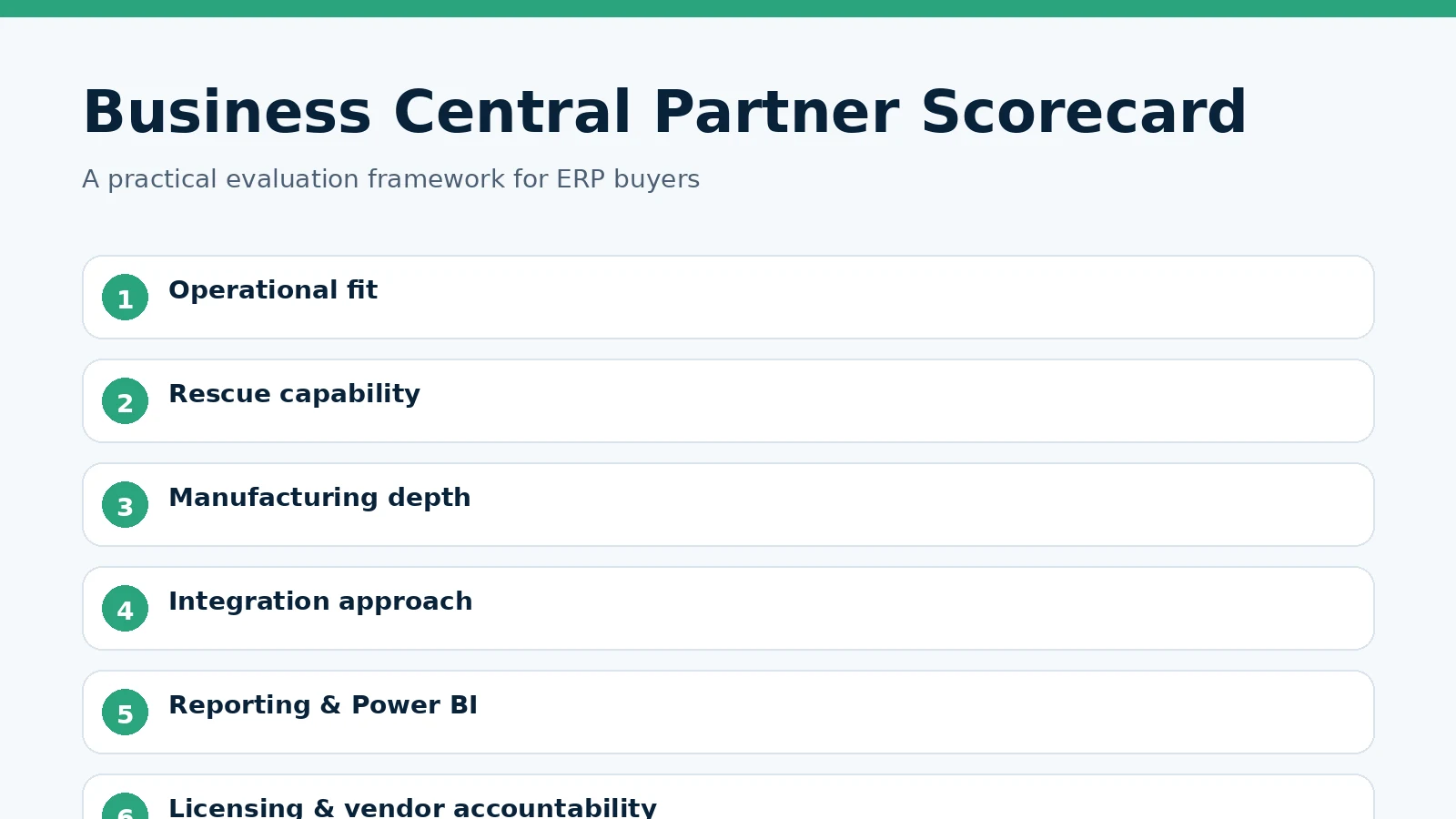
Compare the partners on operational understanding, rescue capability, manufacturing or industry depth, integration architecture, reporting, testing discipline, documentation, licensing accountability and what support looks like after the project.
BUSINESS CENTRAL REVIEW
Not sure whether to rescue, optimize or replace the current approach?
Knowtion can review the environment, workflows, extensions, integrations, reporting and licensing, then identify the highest-value next steps.